Sell and redeem gift cards
Sell gift cards online, take them at the desk, and refund unused ones.
Open Gift cards in the sidebar. Gift cards are on unless you switch them off.
Choose Copy purchase link and share it. Members buy a card on that page and send it to someone. Your storefront also shows a Buy a gift card button once Stripe is connected.
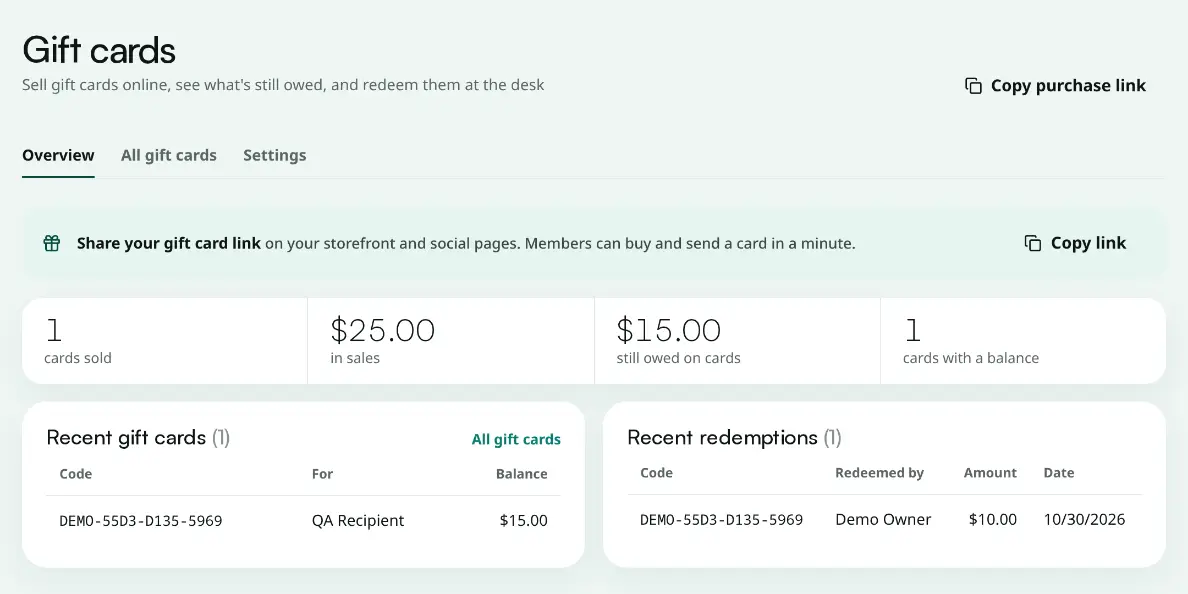
Gift cards, Overview. To change the amounts people can buy, or to switch gift cards off, open the Settings tab, make your changes and choose Save Gift Card Settings.
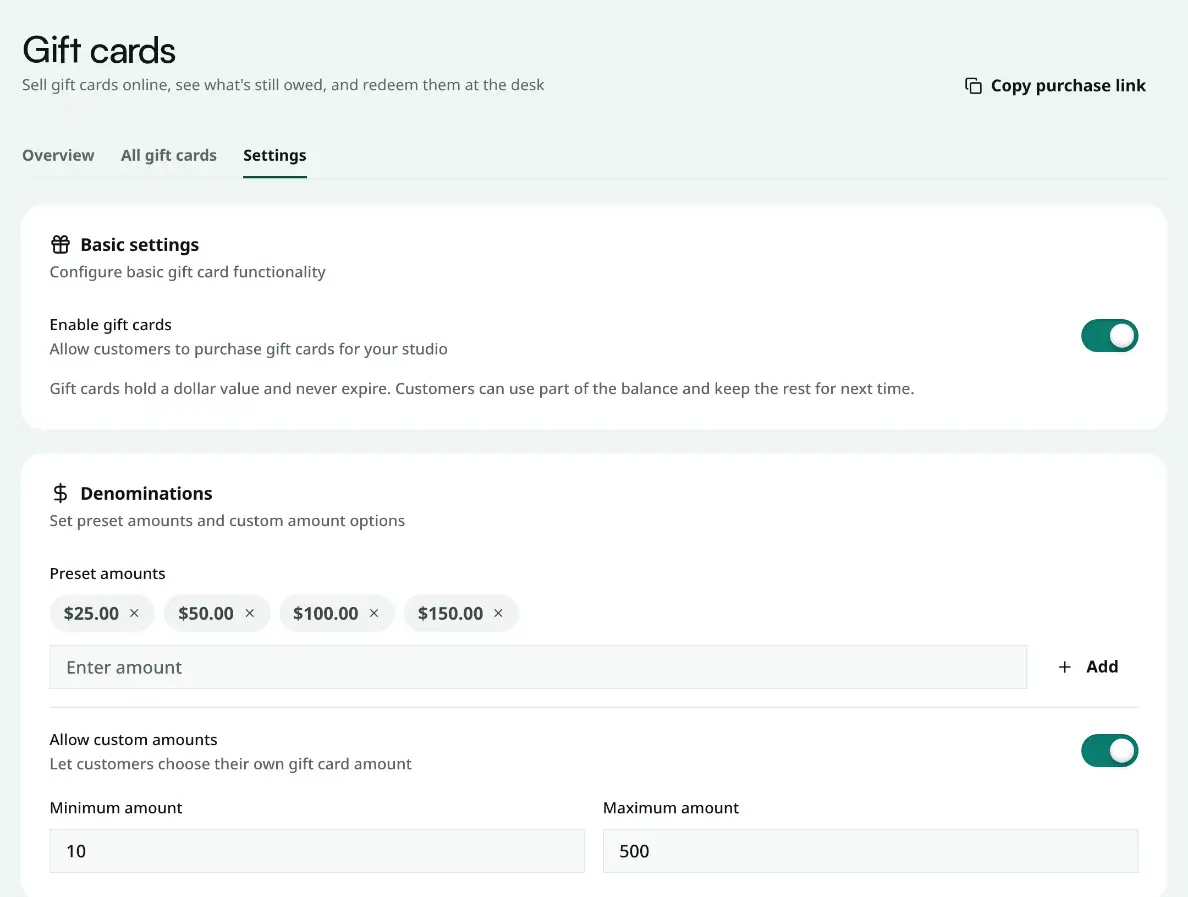
Gift cards, Settings. When someone pays with a gift card at the desk, open All gift cards and choose their card.
Under Redeem in person, enter the amount and choose Redeem. The balance goes down by that amount.
To refund a card nobody has used yet, open it and choose Refund, then Confirm refund. The money goes back to the buyer's card.
Gift cards hold a dollar value and never expire. They are on unless you switch them off on Gift cards, then Settings, where you also set the amounts people can buy.
Gift cards are redeemed at your desk. Members cannot use one to pay for a booking online yet.