Payouts and Thryve's 5% fee
What Thryve charges, what Stripe charges, and where to see your payouts.
Open Payments in the sidebar.
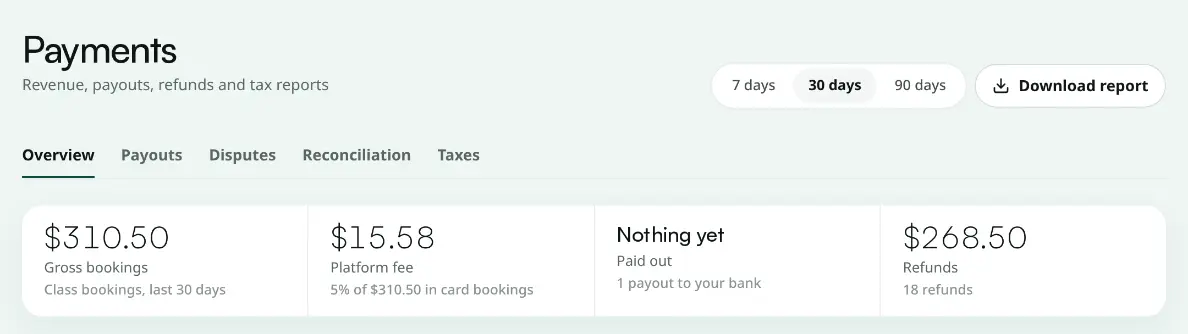
Overview shows gross bookings, the platform fee, what was paid out and refunds for the period you pick (7 days, 30 days or 90 days).
Open the Payouts tab to see your balance, your payout schedule and every payout Stripe has sent.
Choose Download report for a file of the period.
The fees
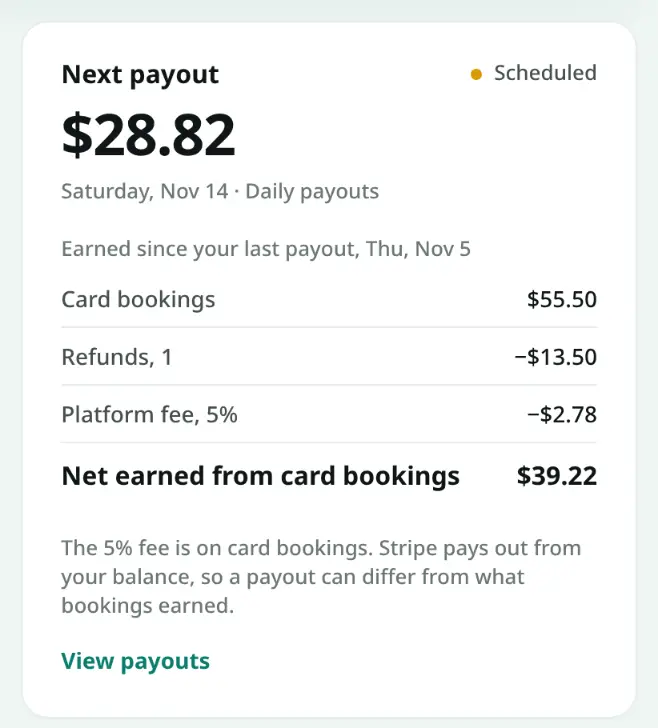
Thryve's fee is 5% of each card booking, on every plan. Stripe also charges its standard processing fee. Members pay the class price you set, and both fees come out of your side. Thryve takes no fee on free classes.
When money arrives
Stripe sends payouts to your bank on your Stripe payout schedule. Because Stripe pays out from your balance, a payout can differ from what bookings earned in the same days.