Check people in with their 6-digit code
Type the member's code at the desk, or check them in from the class list.
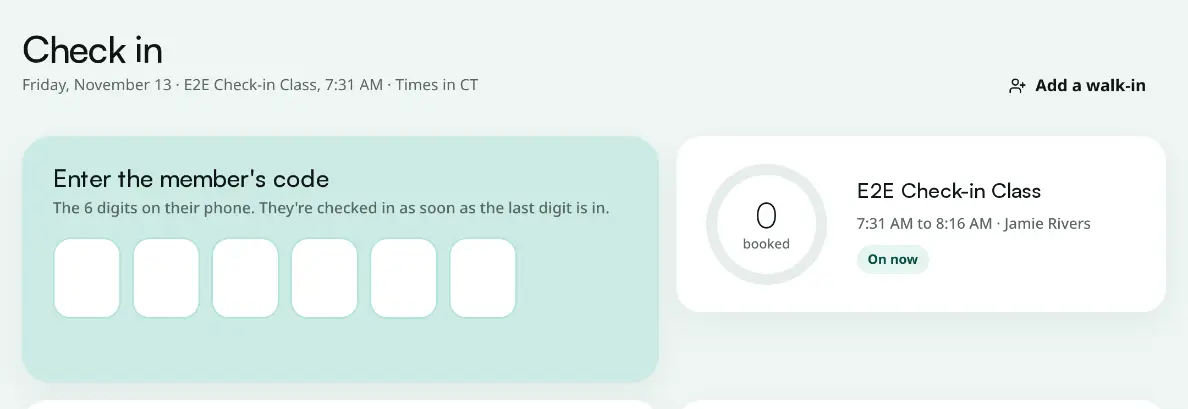
Open Check in in the sidebar. The class that is on now, or next, is shown.
Ask the member for the 6-digit code on their phone.
Type it into Enter the member's code. They're checked in as soon as the last digit is in.
Or find the person under Booked and choose Check in on their row.
When check-in is open
Check-in opens 1 hour before a class starts and closes when it ends. A code works only for its own class and only once.
If a code is refused
"No booking matches this code" means the code is wrong or is for another studio. "This code has already been used to check in" means they are already in.