Add a class
Put a single class on your schedule so members can book it.
Open Schedule in the sidebar and choose New class.
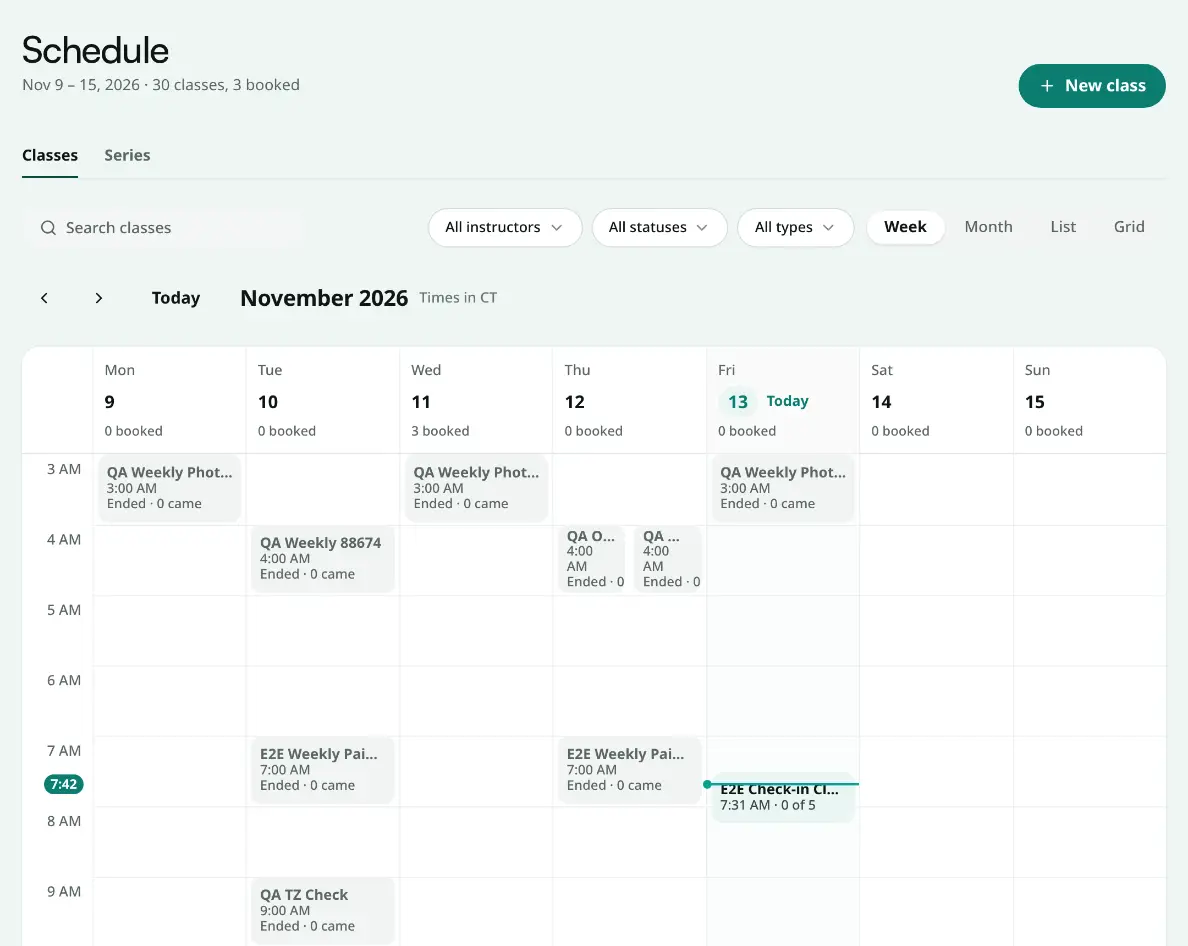
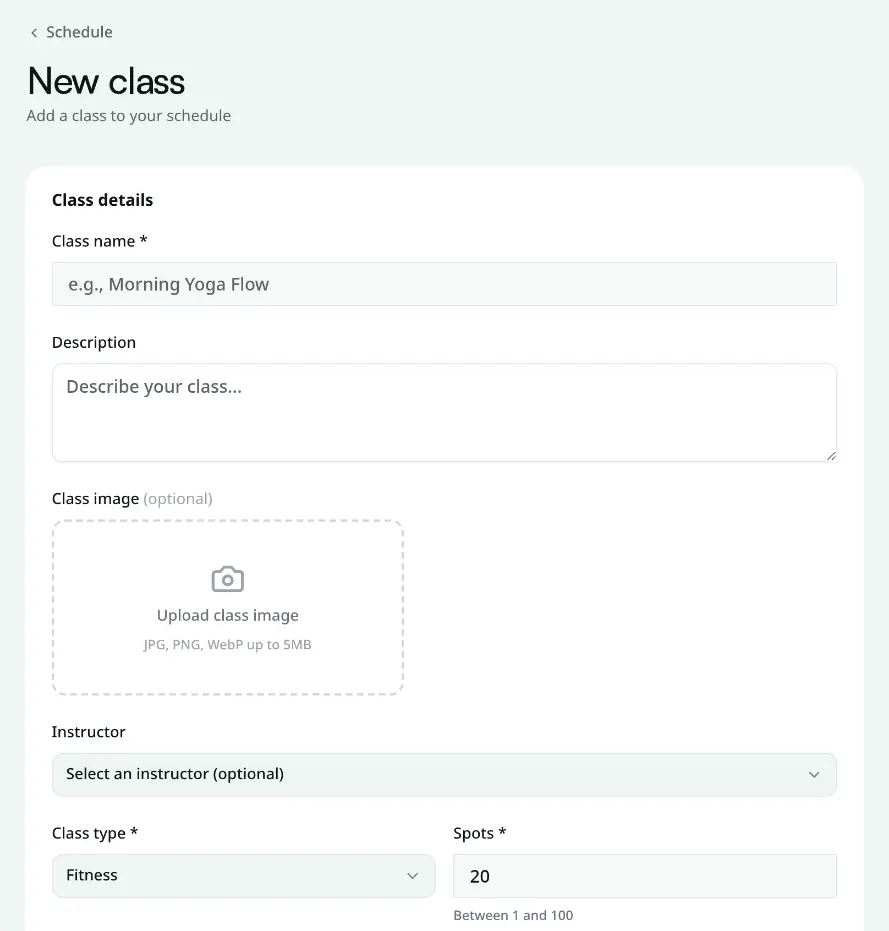
Schedule, with the New class button. Under Class details, enter the Class name, choose a Class type and set Spots (between 1 and 100). Add a description, an image and an instructor if you like.
Under When and where, keep One time selected. Set the Start time, the End time and the Location.
Under Price, enter the Drop-in price ($). Enter 0 for a free class.
Choose Create class.
Times use your studio time zone, which you can change in Settings, then Booking. A class must start in the future.