Add a weekly series
Repeat a class every week on the days you choose.
Open Schedule and choose New class.
Fill in the class details and the price as for a single class.
Under When and where, choose Repeats weekly.
Pick the days under Repeat on, then set the Class time and the Duration.
Set the Start date. Leave the End date blank to keep the series going.
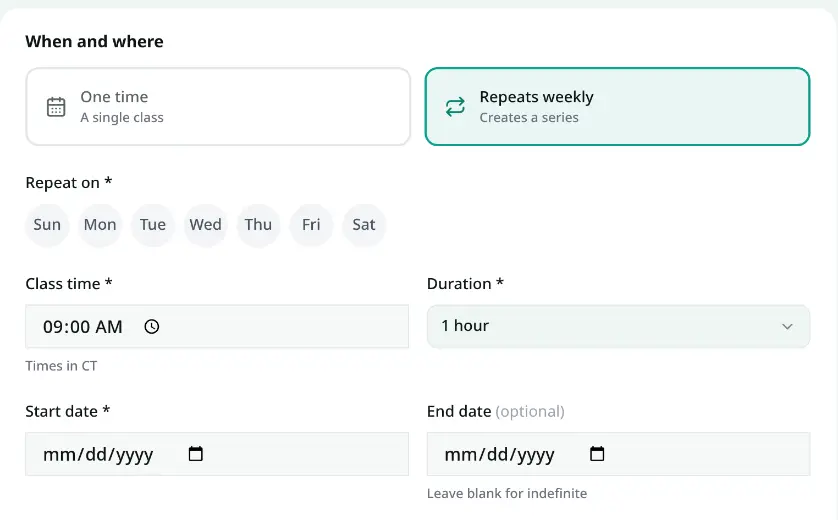
Choose Repeats weekly to create a series. Choose Create series.
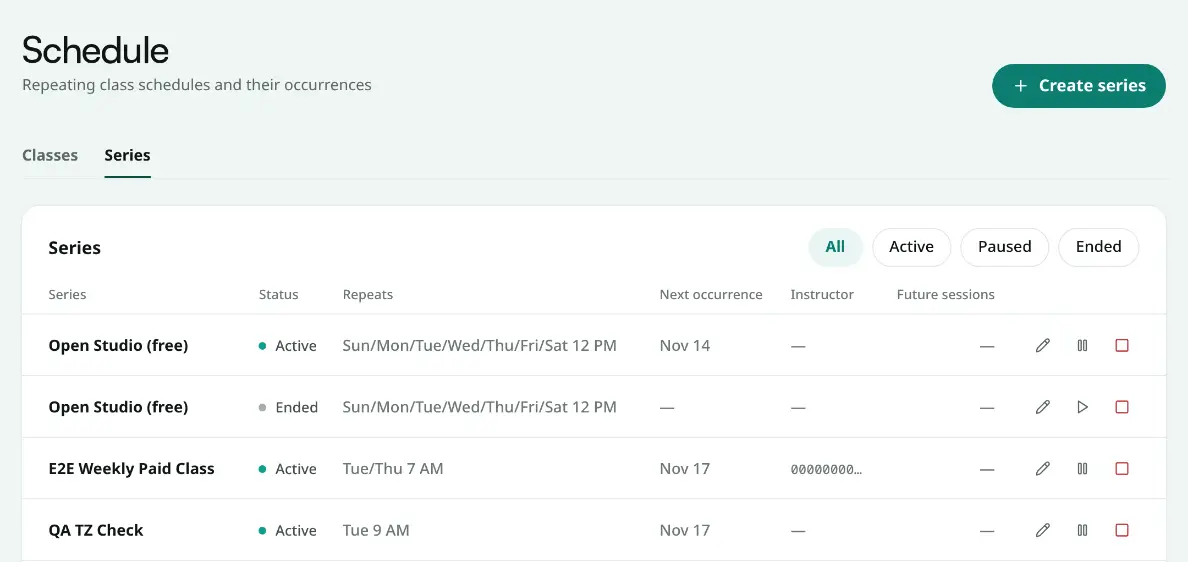
Managing a series
Open Schedule, then the Series tab, to see every series, how it repeats and its next class. You can also start a series there with Create series.