Find and book a class
Search classes near you, or book straight from a studio's page.
Open Find a class. Search by class, studio or teacher, and filter by day and type.
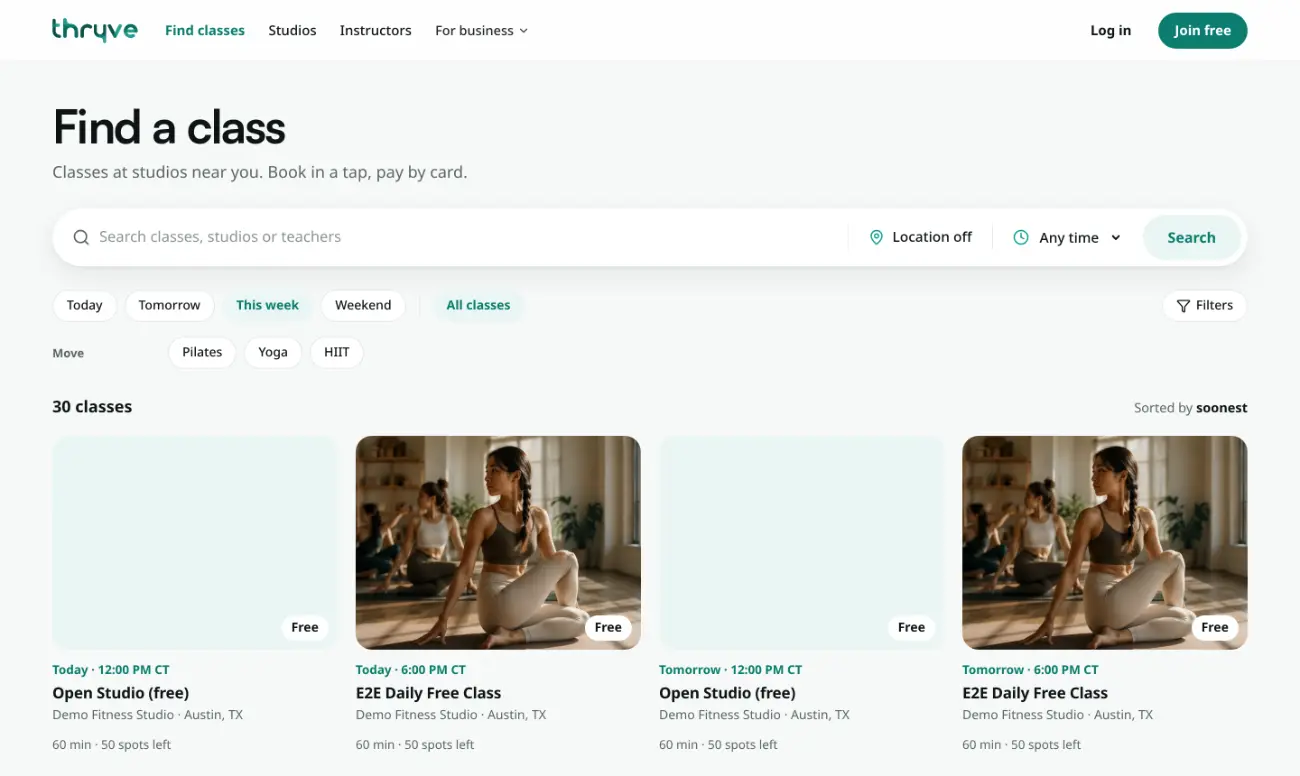
Find a class. Choose a class, or open a studio's page and choose Book next to a time.
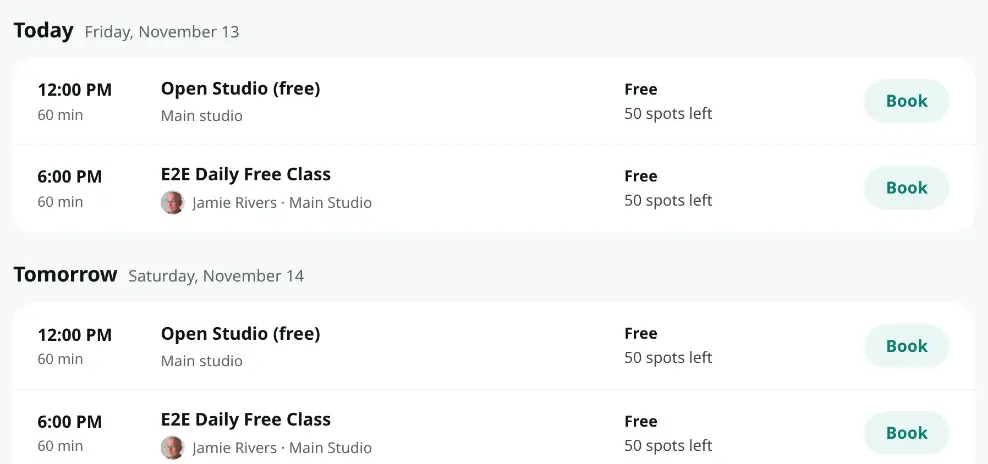
A studio's schedule. Each bookable class has a Book button. On the class page, choose Book this class.
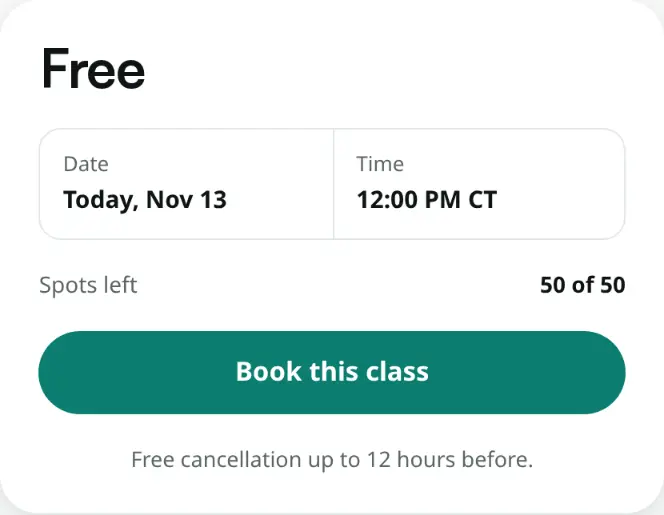
The class page shows the price, the spots left and the cancellation rule. Check the details. For a free class choose Confirm booking. For a paid class choose Continue and pay.
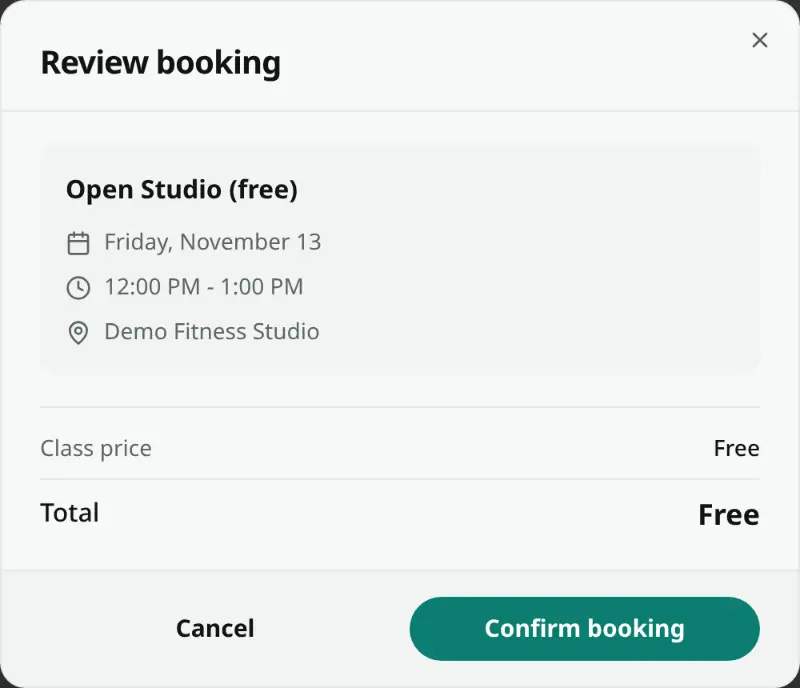
Review booking, for a free class. You'll see You're Booked! and get a confirmation email.
You need a Thryve account to book, even for a free class. If you're not signed in, Thryve asks you to create an account and brings you back to the class.
Your bookings are under Bookings in your account.